Study blocks that fill themselves in.
Study Guardian runs your study block and marks how focused it really was, using webcam presence and which apps you're in, read entirely on your own PC. No cloud. No account. Nothing sent. Like paper, it stays at your desk.
no sign-up. 65 MB. works with Wi-Fi off.
41 of 45 min actually on it — solid.
Demonstration spread. Your real one never appears on a website; it can't. It never leaves your PC.
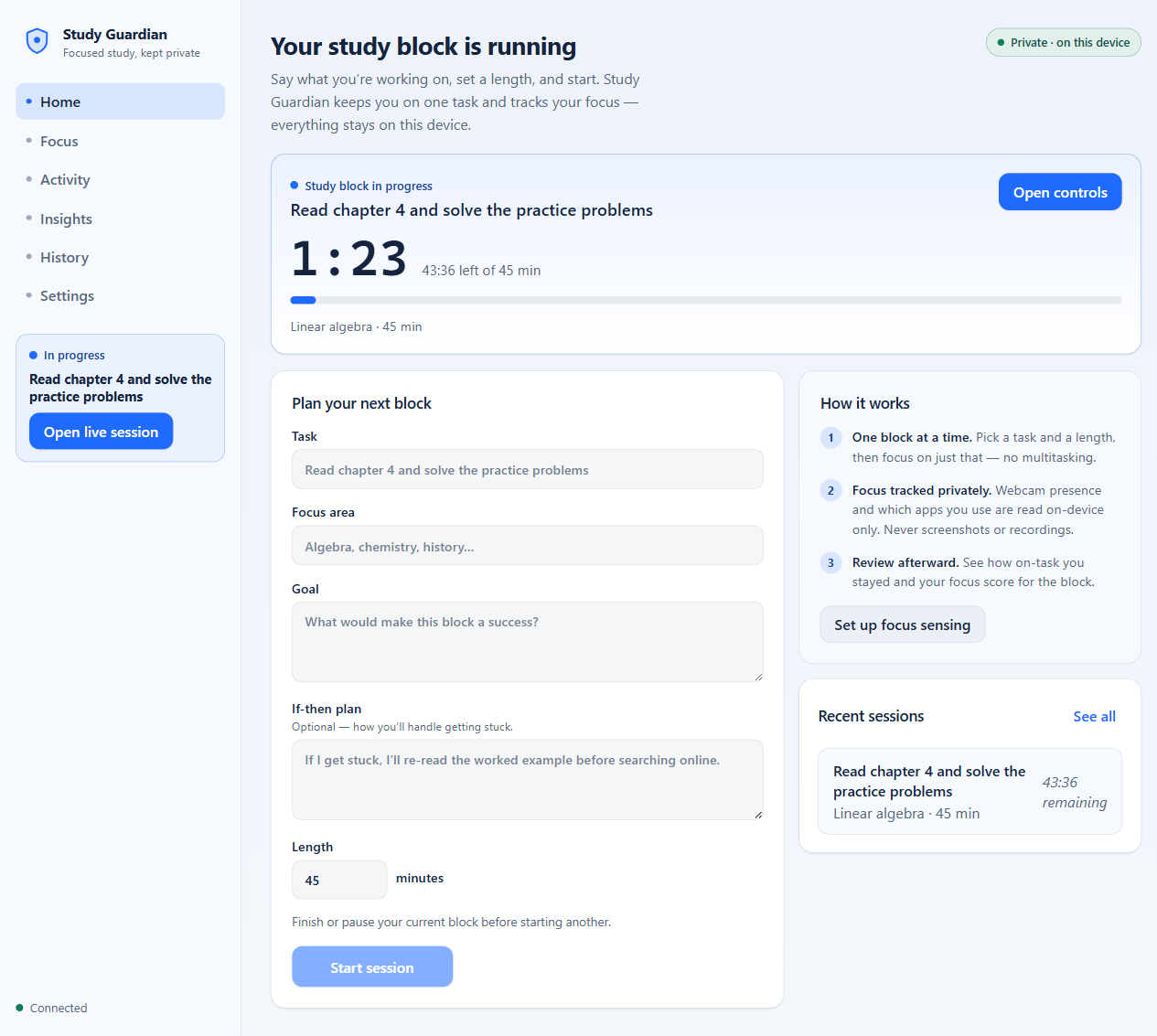
The same idea, on your screen
the block you planned ↑
“Private · on this device” isn't a slogan — it's the architecture
-
Plan the block
Task, focus area, length, and an if-then plan for when you get stuck. One block at a time, no multitasking.
-
Study. The page marks itself
Webcam presence says whether you're at the desk; the foreground app says whether you're in the reading or in a group chat. Both are read on-device and reduced to timestamps.
-
Review the spread
Each session is scored against your own baseline, not a productivity influencer's. See where blocks break and what your best hours actually are.
The ledger: what exists, what never does
Webcam apps deserve suspicion. So this one is built to be checked, not trusted: the sensing runs on your PC, writes plain rows to a local file, and has no server to send them to.
Written down — on your PC only
| focus state | present · 20:04 → 20:31 |
| focus state | away · 20:31 → 20:35 |
| activity | obsidian.exe · on-task · 26 min |
| activity | discord.exe · distraction · 3 min |
| session | score 78 · baseline 71 |
A local SQLite file in your user folder. Two delete buttons in Settings erase webcam and activity history whenever you want.
Never exists, anywhere
- A video recording: frames are analysed in memory, then discarded
- A screenshot: never captured, of anything
- A cloud copy: there is no server
- An account: nothing to sign up for
- A telemetry ping: the developer learns nothing about you
- Your window titles: off by default, app names only unless you opt in
The one network action in the whole app: a Check for updates button you press yourself, which fetches a version number from this site. Nothing is sent with it. Full details in the privacy statement, the same text that ships inside the app.
Put it on your desk.
Free while in beta. The stable release will be a one-time purchase; early users get founder pricing, never a subscription.
Windows will warn you. Here's why, honestly.
This beta isn't code-signed yet (certificates cost more than this free beta has earned). SmartScreen will show “Windows protected your PC — Unknown publisher.” If you choose to continue: More info → Run anyway. A Microsoft Store listing is on the way; Store installs skip the warning entirely.
Fair questions
- Is this like exam proctoring?
- No. It's the opposite of proctoring on the axis that matters. Proctoring is someone else's camera pointed at you, reporting to someone else. This is your camera, on your PC, reporting to you. Nobody else can see anything, because nothing goes anywhere. You turn it on, and you can study with the webcam off entirely.
- What does the webcam actually record?
- Nothing. Frames are analysed in memory and immediately discarded. What's kept is a timeline of states with timestamps: present, away, and on machines with full face-landmark tracking, looking away and drowsy. The beta ships in presence-only mode and says so in the app.
- Does it work without a webcam?
- Yes. App-activity and idle sensing work on their own; you just lose the at-the-desk signal. Everything else, including scores and insights, keeps working.
- Why should I believe the privacy claims?
- Don't believe it: check. Run it with Wi-Fi off. Block it in your firewall. Watch its network activity in Task Manager. Open the SQLite file and read exactly what it stores. An app that can't phone home doesn't need your trust.
- Will it cost money?
- The beta is free, fully featured. The stable release is planned as a one-time purchase (about the price of a textbook chapter you'd actually read) with founder pricing for beta users, and never a subscription.